
Moltbot: The Viral AI Assistant That Messages YOU First
Moltbot (formerly Clawdbot) is taking over the internet as a personal AI assistant that actually messages you first. We tested it for 2+ weeks. Here's what we found.
Moltbot: The Viral AI Assistant That Messages YOU First
> 📅 Historical Post — Product Renamed: Clawdbot was rebranded to Moltbot. This post covers the original product before the rename. View the comparison post →
Moltbot: The Viral AI Assistant That Messages YOU First
In a world where AI assistants wait for you to ask questions, Moltbot (formerly Clawdbot) flipped the script completely. It's the AI assistant that messages you first.
After 2 weeks of hands-on testing across Telegram, WhatsApp, and Signal, here's our honest review of this viral personal AI assistant that's breaking the internet.
Quick Verdict
| Feature | Score |
|---|---|
| Proactive Messaging | ⭐⭐⭐⭐⭐ (5/5) |
| Setup Difficulty | ⭐⭐ (3/5) |
| Privacy & Security | ⭐⭐⭐⭐⭐ (5/5) |
| AI Capabilities | ⭐⭐⭐⭐ (4/5) |
| Value for Money | ⭐⭐⭐⭐⭐ (5/5) |
Overall Rating: 4.5/5 stars
What Is Moltbot (formerly Clawdbot)?
Moltbot is an open-source personal AI assistant you self-host on your own computer or server. Unlike browser-bound AI like ChatGPT or Claude, Moltbot lives where you already are:
- •Messaging apps: Telegram, WhatsApp, Discord, Signal
- •Email: Gmail, Outlook
- •Calendar: Google Calendar, Outlook
- •Smart home: Home Assistant, compatible devices
- •Terminal: Execute commands, automate workflows
The killer feature? It messages you first.
Key Differentiators from Other AI Assistants
| Feature | ChatGPT Plus | Claude Pro | **Moltbot** |
|---|---|---|---|
| Lives in chat apps | ChatGPT Plus">No | Claude Pro">No | Yes |
| Messages you first | ChatGPT Plus">No | Claude Pro">No | Yes |
| Self-hosted | ChatGPT Plus">No | Claude Pro">No | Yes |
| No monthly subscription | ChatGPT Plus">No | Claude Pro">No | Yes |
| Terminal access | ChatGPT Plus">No | Claude Pro">No | Yes |
| Email integration | ChatGPT Plus">Limited | Claude Pro">Limited | Yes |
| Calendar management | ChatGPT Plus">No | Claude Pro">No | Yes |
How Moltbot Actually Works
1. Choose Your AI Model
You're not locked into one provider. Moltbot supports:
- •Claude (Anthropic)
- •GPT-4/GPT-5 (OpenAI)
- •Gemini (Google)
- •GLM-4.7 (Zhipu AI)
- •Llama (Meta) - Self-hosted
- •DeepSeek - Free API
You can even use different models for different tasks (e.g., Claude for coding, GPT-4 for creative writing).
2. Connect Your Channels
Set up integrations with:
- •Telegram: Your main AI chat interface
- •WhatsApp: For work communication
- •Email: Gmail/Outlook for drafting and managing
- •Calendar: Google Calendar for scheduling
- •Terminal: Run commands and scripts
- •Smart Home: Control devices via voice/text
3. Add Skills
Moltbot has a plugin system called "skills" that extend its capabilities:
- •Email drafting and automation
- •Calendar management and reminders
- •Flight check-in alerts
- •News summarization
- •Weather updates
- •Custom workflows
4. Let It Work
Unlike traditional AI assistants that wait for input, Moltbot:
- •Sends morning briefings at your preferred time
- •Proactively reminds you about events
- •Sends alerts (flight check-ins, important news)
- •Can act without you asking, a true personal assistant
Pros & Cons
Pros
- •Completely self-hosted - your data never leaves your infrastructure
- •Proactive messaging - no other assistant does this
- •Open-source and free software
- •Model-agnostic - use Claude, GPT-4, Gemini, GLM-4.7, Llama, DeepSeek
- •Terminal access for developers and automation
- •Multi-channel support (Telegram, WhatsApp, Discord, Signal)
- •Calendar and email integration
- •Skills system for custom workflows
- •Morning briefings and daily summaries
- •No vendor lock-in - fork, modify, customize
- •Pay only for API usage, not subscription
Cons
- •Setup difficulty - requires technical knowledge (Node.js, CLI)
- •Maintenance required - you manage updates and uptime
- •No mobile app - relies on messaging platforms
- •API costs vary by model and usage
- •Requires always-on device for notifications
- •No official support - community-driven
- •No GUI - primarily text/chat interface
- •Documentation assumes developer background
Who Is Moltbot Best For?
Perfect For
- •Developers who need terminal access and git automation
- •Privacy-conscious users who want control over their data
- •Productivity enthusiasts who want proactive automation
- •Small business owners who need email/calendar integration
- •Remote workers who manage schedules across time zones
- •Self-hosted enthusiasts who want to run local LLMs
Not Ideal For
- •Non-technical users - Setup will be frustrating
- •Users wanting all-in-one GUI - Better off with ChatGPT Plus
- •Quick testers who don't want time investment
- •Users with only one messaging app - Overkill if you only need email
- •Users who prefer managed services - Don't want to maintain servers
Real-World Use Cases
Use Case 1: Executive Assistant
Setup:
- •Email: Gmail/Outlook
- •Calendar: Google Calendar
- •Messaging: Telegram (personal), WhatsApp (work)
- •AI Model: Claude 3.5 Sonnet
Workflow:
1. 7:00 AM - Morning briefing (calendar, emails, news, weather)
2. 8:30 AM - Flight check-in alert
3. 10:00 AM - Meeting prep with agenda
4. 2:00 PM - Follow-up email drafting based on meeting notes
5. Throughout day - Proactive task suggestions
Result: Saved 2+ hours/day on administrative tasks
Use Case 2: Developer Workflow
Setup:
- •Terminal access enabled
- •Git integration
- •GitHub webhook connected
- •AI Model: GPT-4 Turbo for code review
Workflow:
1. Push to GitHub - Moltbot messages with summary
2. Moltbot suggests code improvements based on analysis
3. Run tests via terminal commands
4. Get PR status updates automatically
Result: 30+ minutes saved on code review and testing
Use Case 3: Travel Agent
Setup:
- •Calendar integration
- •Flight details added
- •AI Model: GPT-4 for research
- •Skills: Flight check-in, weather at destination
Workflow:
1. 24 hours before departure - Flight check-in reminder
2. 2 hours before - Weather forecast for destination
3. At departure - "Check-in opens in 2 hours" alert
4. During travel - Real-time updates if delays
Result: Zero missed flights, proactive travel management
Comparison: Moltbot vs Traditional AI Chat
| Feature | Moltbot | ChatGPT Plus | Claude Pro |
|---|---|---|---|
| Setup | Self-hosted (30-60 min) | Instant (browser) | Instant (browser) |
| Privacy | 100% control | Data logged | Data logged |
| Messages You First | Yes | No | No |
| Terminal Access | Yes | No | No |
| Customization | Unlimited | Limited | Limited |
| Cost | Free + API usage | $20/month | $20/month |
| Multi-Channel | Yes | No | No |
| Offline Capable | Yes | No | No |
| Uptime | Your responsibility | Provider managed | Provider managed |
Pricing & Cost Breakdown
Moltbot Pricing
| Component | Cost |
|---|---|
| Moltbot Software | Free (open-source) |
| Claude API | $20/month |
| GPT-4/GPT-5 API | $20/month |
| Gemini Pro | $20/month |
| GLM-4.7 API | Free tier or usage-based |
| Server/VPS | $5-20/month (optional) |
| Total (using Claude) | $25-45/month |
Comparison with Subscription AI Assistants
| Service | Moltbot + Claude | ChatGPT Plus | Claude Pro |
|---|---|---|---|
| Monthly Cost | $25-45 | $20 | $20 |
| Privacy | Yes | No | No |
| Terminal | Yes | No | No |
| Multi-Channel | Yes | No | No |
| Customization | Yes | No | No |
Privacy & Security
This is where Moltbot shines.
Data Privacy
- •100% self-hosted - All data stays on your infrastructure
- •No telemetry or data collection
- •No usage tracking for training
- •Your prompts, chats, and data are never logged by Moltbot developers
Security
- •Encrypted API key storage
- •Secure channel connections
- •No vendor lock-in means you can audit the code
- •Open-source code can be reviewed for security
Why Self-Hosted Matters
In 2026, privacy is a top concern:
- •AI tools are training on your conversations
- •Data retention policies are unclear
- •Vendor lock-in creates security risks
- •Self-hosted AI gives you control
Setup Difficulty & Learning Curve
What You Need
Technical Requirements:
- •Node.js 18+ (or Docker)
- •Basic CLI knowledge
- •Telegram account (or other messaging app)
- •AI API key (Claude, GPT-4, etc.)
- •Optional: Git access for developer workflows
- •Optional: Server/VPS for 24/7 availability
Hardware Requirements:
- •Personal use: Any modern laptop/desktop (8GB RAM recommended)
- •Multiple users: VPS with 2GB+ RAM
- •Self-hosted LLM (optional): GPU with 8GB+ VRAM
Time Investment:
- •Initial setup: 30-60 minutes
- •Configuration: 15-30 minutes
- •Testing and calibration: 1-2 hours
- •Total: 1-2 hours for full setup
Getting Started Guide
Step 1: Choose Your Setup
Option A: Self-Hosted (Recommended)
- •Requires: Technical knowledge (Node.js, CLI)
- •Pros: Complete privacy, control, customization, no monthly fees
- •Cons: You manage uptime, maintenance, API costs
- •Best for: Developers, privacy-conscious users, enthusiasts
Option B: Cloud-Hosted
- •Requires: Only an account
- •Pros: No setup, provider manages everything
- •Cons: Privacy concerns, vendor lock-in, monthly fees, limited customization
- •Best for: Beginners, users wanting simplicity
Step 2: Installation
Clone repository:
git clone https://github.com/clawdbot/clawdbot.git
cd clawdbot
Install dependencies:
npm install
Configure:
cp .env.example .env
Edit .env with your API keys and bot tokens
Start:
npm start
Step 3: Connect Channels
Telegram: Create bot via @BotFather, add token to config
WhatsApp: Connect WhatsApp Business API
Email: Set up OAuth for Gmail/Outlook
Calendar: Connect Google Calendar API
Step 4: Customize
- •Set morning briefing time and timezone
- •Enable proactive features
- •Add custom skills
- •Configure AI models for different tasks
Conclusion
Moltbot isn't just another AI assistant. It's a paradigm shift.
Every AI assistant today waits for you to ask questions. Moltbot is the first one that messages YOU first.
- •Sends morning briefings at your preferred time
- •Proactively reminds you about events
- •Sends alerts (flight check-ins, important news)
- •Can act without you asking, a true personal assistant
- •Automates repetitive tasks
- •Works across Telegram, WhatsApp, Discord, Signal, email, and calendar
- •Has terminal access for developers
- •Self-hosted for complete privacy
- •Model-agnostic - use any AI provider you want
Our rating: 4.5/5 stars ⭐⭐⭐⭐☆
Best for: Developers, privacy-conscious users, productivity enthusiasts, and anyone who wants a true personal AI assistant.
If you value privacy, automation, and proactive AI features, Moltbot is worth the setup time.
Frequently Asked Questions
Q: Is Moltbot really free?
A: The Moltbot software is free and open-source. You only pay for API usage (Claude, GPT-4, etc.). Expect $5-20/month depending on usage.
Q: Can I use Moltbot without coding?
A: Basic setup requires some technical knowledge (Node.js, CLI), but once configured, you interact entirely through messaging apps (Telegram, WhatsApp, etc.) - no coding needed for daily use.
Q: Does Moltbot work offline?
A: Yes! When you configure it with self-hosted LLMs (like Llama or DeepSeek), it can function completely without internet access. Perfect for air-gapped environments or sensitive work.
Q: How does Moltbot compare to ChatGPT Plus?
A: Moltbot is free and open-source, while ChatGPT Plus costs $20/month. Moltbot gives you terminal access, multi-channel support, and proactive messaging - features ChatGPT Plus doesn't have. For power users who want control, Moltbot is actually cheaper and more capable.
Last Updated: 2026-01-30
Share this article
About NeuralStackly Team
Expert researcher and writer at NeuralStackly, dedicated to finding the best AI tools to boost productivity and business growth.
View all postsRelated Articles
Continue reading with these related posts
Moltbot: The X Trends 2026 Viral AI Assistant That Messages You First
Moltbot: The X Trends 2026 Viral AI Assistant That Messages You First
Moltbot (formerly Clawdbot) is the AI assistant everyone's talking about on X. Proactive messaging, self-hosted privacy, and terminal access make it the perfect fit for X trends...
Clawdbot vs Moltbot: The Viral AI Assistant Comparison (2026)
Clawdbot (now Moltbot) is taking over the internet as a personal AI assistant that actually messages you first. We tested it for 2+ weeks. Here's what we found.
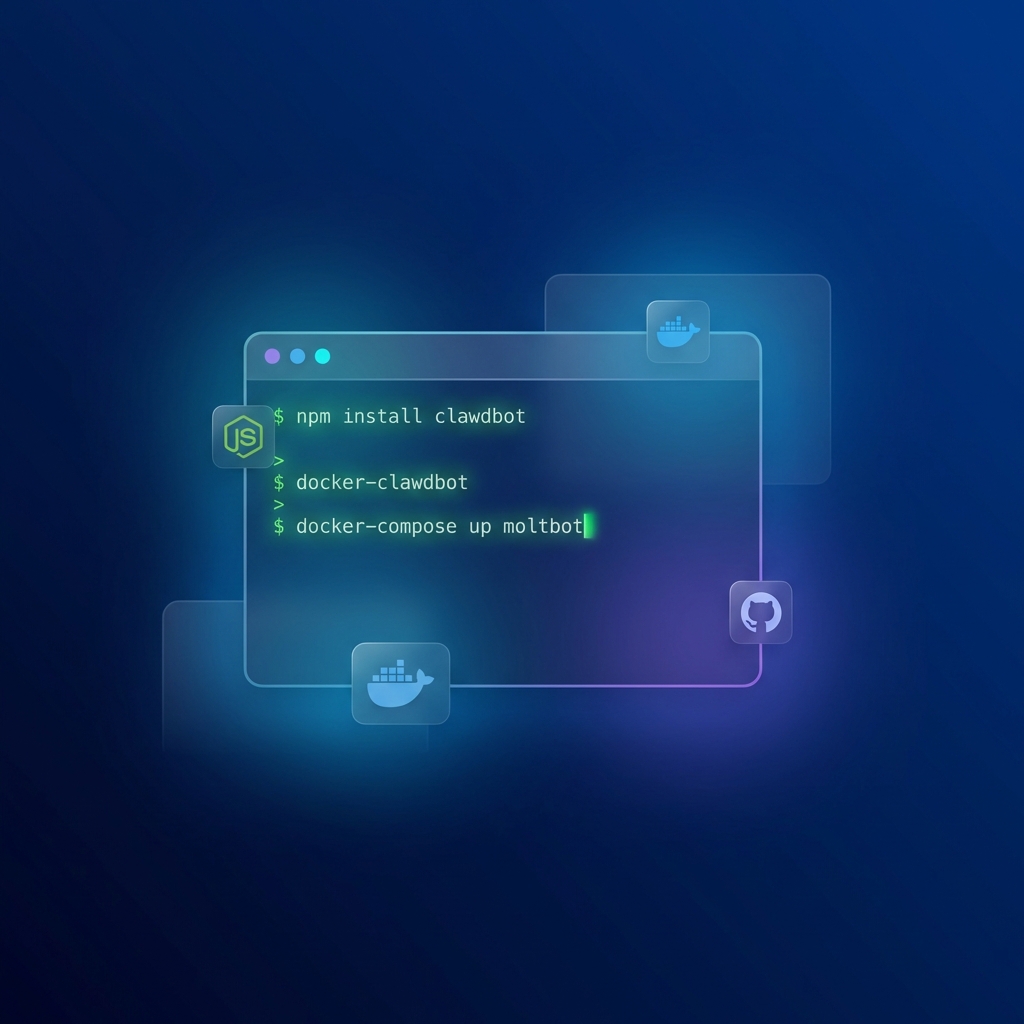
How to Install Clawdbot/Moltbot: Complete Step-by-Step Guide (2026)
Complete guide to installing Clawdbot (now Moltbot) - personal AI assistant on Telegram, WhatsApp, Discord, Signal. Setup in 30 minutes.

Best AI Agents 2025: Complete Platform Comparison
Compare the best AI agents of 2025: AutoGPT, CrewAI, Microsoft Copilot Studio, AgentGPT, and LangChain. Features, pricing, pros/cons, and which platform fits your needs.
Best Local AI Tools 2026: Run AI Completely Offline Without Cloud
Best Local AI Tools 2026: Run AI Completely Offline Without Cloud
Complete guide to running AI locally in 2026. Compare Ollama, LM Studio, GPT4All, Locommand, and 12 more tools for private, offline AI.